
Add folder into a remote connection @ CONNECT - Connections @ MentDB Weak
Click on 'CONNECT' tab, open 'Remote file', right click on 'demo_cm_cifs' and select 'Add folder'
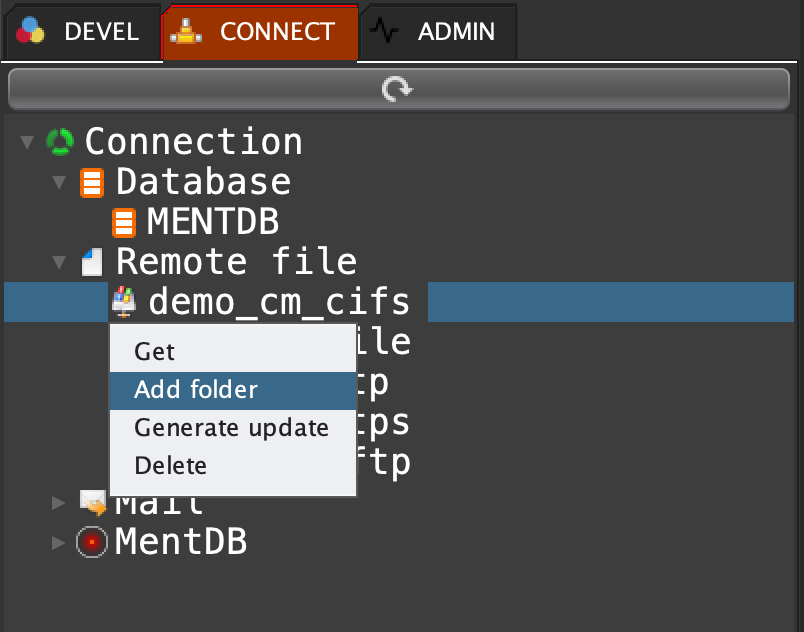
MQL input
json load "target_file" "{}"; json iobject "target_file" / "dir" "remoteDirectory" STR; json iobject "target_file" / "filter" ".*.*" STR; node iarray "CM[demo_cm_cifs]" /target_files (json doc "target_file") OBJ;
MQL output
"Inserted with successful."Click on the refresh button:

You can see the remote dir
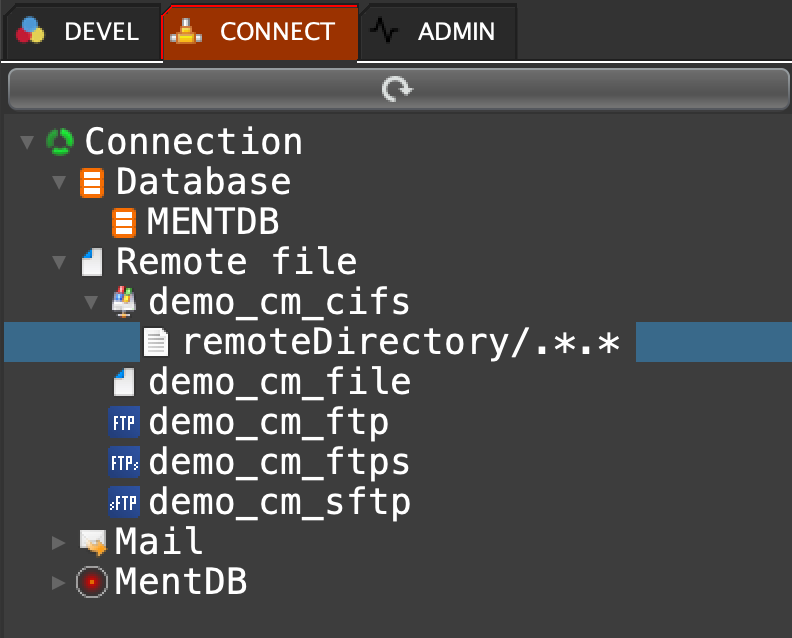
Double click on the remote dir 'remoteDirectory'
MQL input
cifs ls "remoteDirectory" ".*.*" {cm get "demo_cm_cifs";}
MQL output
{
\"data\": [
\"[\n \\"filename.txt\\",\n \\"1\\",\n \\"2023-08-06 06:03:04\\"\n]\"
],
\"columns\": [
\"filename\",
\"isDirectory\",
\"lastModified\"
],
\"table\": \"FILES\"
}Right click on the remote dir if you want to delete the remote dir.